Skip to content

Announcements & Updates

Official announcements, release notes, and important updates from the Zircon3D team.

This category can be followed from the open social web via the handle announcements@forum.zircon3d.com

4 Topics 4 Posts
  • 🚀 Zircon3D v2.0 is Here --- 30-Days Free Trial for PRO

    1
    1
    0 Votes
    1 Posts
    13 Views
    Tami LiuT
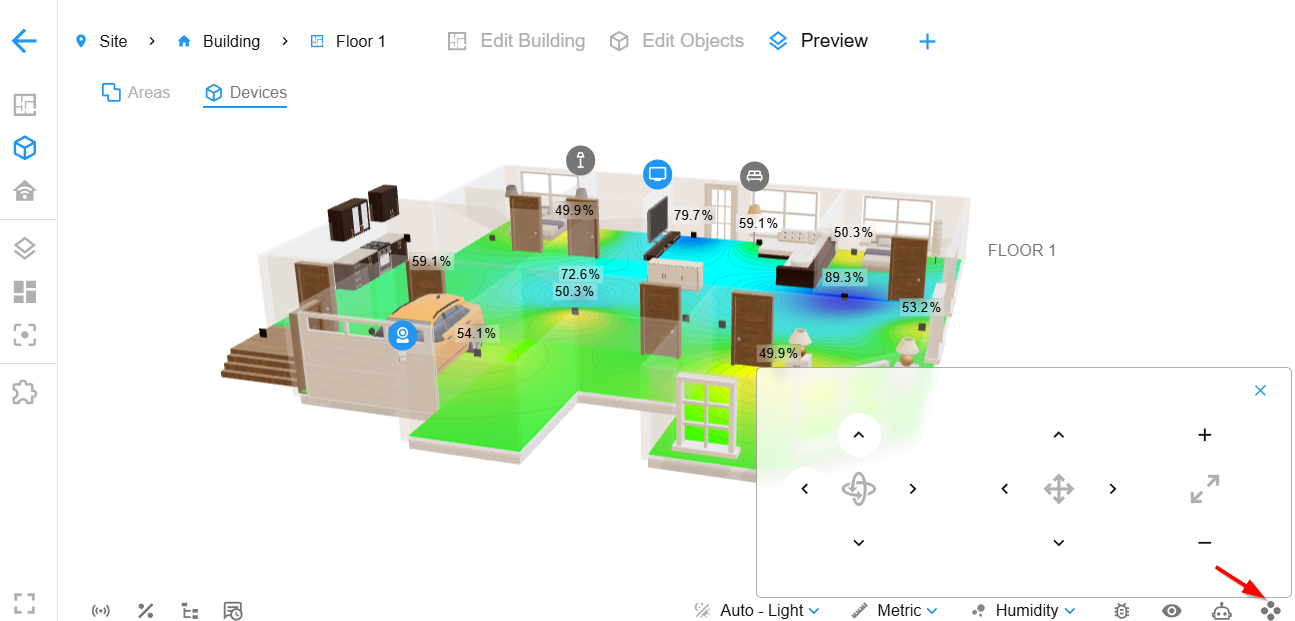
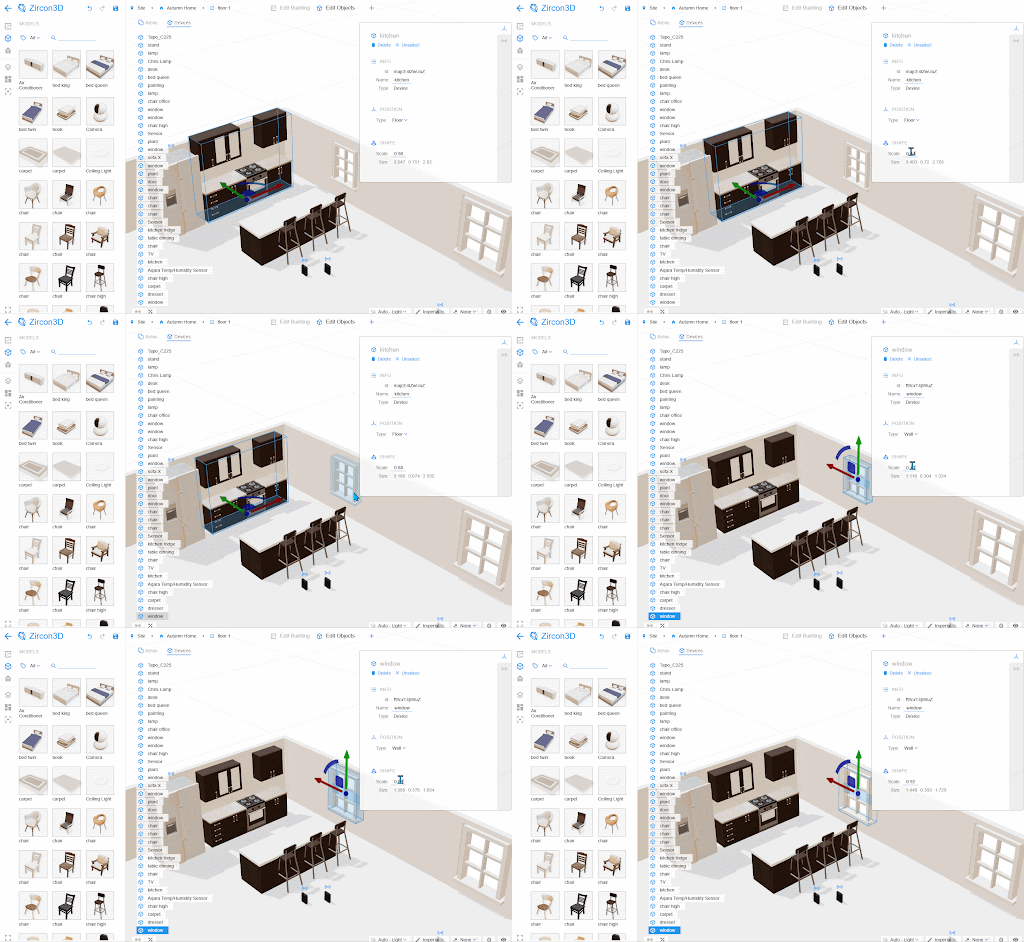
    We’re excited to announce the release of Zircon3D v2.0, packed with powerful new features and improvements to help you get even more from your smart home visualization. And here’s the good news: starting with this version, every new and existing user gets a 30-day free trial of PRO. More details That means you can experience all the advanced features like Custom Heatmap Layers, Heatmap Replay, and more Pro features for a full month. It’s the perfect chance to explore everything Zircon3D can do before you decide whether to upgrade. New Features & Improvements [Pro] Custom Heatmap Layers Create your own heatmaps for CO₂, Wi-Fi signal, power usage, sunlight intensity, or any other numeric data from Home Assistant. Flexible matching rules and color ranges give you full control. Watch how it works: https://youtu.be/MVT3vvEO9no [Pro] Heatmap Replay Bring your sensor history to life! Heatmap Replay lets you watch changes unfold over time, making patterns and anomalies easier to spot. See it in action: https://youtu.be/P3rhuf6buDk Enhanced Viewer – Fully Configurable View Profiles Save and reuse your preferred perspectives with View Profiles. Adjust angles, overlays, layers, and visual styles, then display your views directly in Zircon3D or embed them into your Home Assistant dashboard. Learn more: https://youtu.be/Bhc6KOWZwgQ Enhanced Layout We’ve reorganized the UI to make Viewer the central focus. Viewer is now designed for everyday use, navigating, monitoring, and working with your data. While Designer (Edit mode) is mainly for building your project and 3D floorplan. This way, once your floorplan or site is created, you can stay in the Viewer and interact with your system without switching back and forth. Customize Models Models like windows, doors, and furniture can now be resized by scaling, giving you more flexibility to adjust object dimensions and better match your real-world setup. [image: 1762735028432-unnamed-1.gif] Unlimited Dashboards for Free Users Free Plan users can now create as many dashboards as they want - no limits! Expanded Pro Quotas Pro users now get 200 sensors per project and up to 4 projects - that’s 800 sensors total, doubling the previous limit. 30-Day Free Trial of Pro Try all PRO features for free with our new 30-day trial. Explore the full power of Zircon3D before you decide to upgrade. Thank You! A big thank you to our growing community for your support, ideas, and feedback. Zircon3D v2.0 is built on what you’ve been asking for, and we can’t wait to see how you’ll use these new features. Get started today: https://zircon3d.com
  • 🚀 Zircon3D v1.2 is Released

    1
    1
    0 Votes
    1 Posts
    6 Views
    Tami LiuT
    Hi everyone! Zircon3D v1.2 is now live. This release introduces several new features, including customizable stairs, wall openings, and standalone divider walls. We’ve also added support for wall-mounted items like lights and framed pictures, as well as ceiling-mounted lights. On the Home Assistant side, the enhanced Monitoring panel now supports template sensors with a configured unique_id, KNX integrated entities and other standalone entities from Home Assistant, along with improved search and filter capabilities. Pro users can now change floor materials, and as always, we’ve included various bug fixes and improvements. 1. How to Add Customizable Stairs You can now add fully customizable stairs under Building Parts, with support for straight, L-shaped, and U-shaped designs. To customize a stair: Select the stair and open the Properties Panel on the right. Enable the Override toggle to unlock advanced settings. Adjust the Width, Tread Depth, Riser Height, and the overall Rise and Run. For L-shaped stairs, toggle between Left and Right turns. U-shaped stairs also support Left and Right configurations. This gives you flexible control to design the staircase that fits your layout perfectly. https://youtu.be/qd_3kGRQCvk 2. How to Add Divider Walls and Wall Openings To add a standalone divider or create an opening in a wall, go to the Building Parts tab and open the Rooms sub-tab. Divider Walls: Drag and drop a Divider onto the floorplan to create a separate wall. You can resize, reposition, and rotate it using the position helper to match your preferred layout. Wall Openings: Drag and drop the Opening component onto any existing wall. This creates an opening within the wall, which you can resize by dragging the blue handles. To remove the opening, select the parent room and use the right-side Properties Panel. These tools offer more flexibility for refining your floorplan structure. 3. Wall-Mounted and Ceiling-Mounted Items You can now easily mount objects directly to walls and ceilings: Ceiling Lights: Select a ceiling light and drag it over your floorplan. When you hover near a ceiling, it will highlight, drop the light to mount it in place. Wall-Mounted Items: Wall-mounted lights and framed pictures can be dragged onto any wall. The system will automatically align and attach them to the wall surface. This makes it simple to add decorative or functional elements directly onto your structure. https://youtu.be/qZKqv394oz0 4. Enhanced Monitoring Panel with Search & Filter, Supporting Template and KNX This update brings expanded compatibility to Zircon3D’s Monitoring panel. We now support Template Sensors (with unique_id), KNX integrated entities, and other standalone entities from Home Assistant. When adding your monitored devices to the floorplan, you can: Drag and drop the Home Assistant Entities or devices from the Monitoring Panel directly onto the floor, or Map them to furniture models for a more immersive experience. These features help you build a smarter, more visual representation of your environment. If the sensor represents a temperature value, make sure to also specify: device_class: "temperature" A valid unit_of_measurement (e.g., "°C") Here’s an example configuration: template: - sensor: - name: "temperature_difference" unique_id: "temp_diff" state: > {% set t1 = states('sensor.aqara_temp_humidity_sensor_temperature_2') | float(0) %} {% set t2 = states('sensor.aqara_temp_humidity_sensor_temperature') | float(0) %} {{ (t1 - t2) | round(2) }} unit_of_measurement: "°C" device_class: "temperature" This will allow Zircon3D to recognize and display the template sensor correctly. https://youtu.be/2vl8UVddpx8 5. Floor Material Customization (Pro Users Only) Pro users can now customize floor materials for each space. To change a floor’s material: Select the floor from the Navigation Tree on the left. Then, choose a material from the Properties Panel on the right. This allows greater control over the look and feel of each room in your 3D model. [image: 1762277371811-14757be7-3834-4bfb-85c4-6eb1d5cf7723-image.png] [image: lFX7ZE9Ycrk4nzuWneBZPFKuoxd.jpeg]
  • 🚀 Zircon3D v1.1.1 Released!

    1
    0 Votes
    1 Posts
    5 Views
    Tami LiuT
    https://youtu.be/KG40YVmyDnU?si=ND2QHiz22qt8LoBw Hi everyone! Zircon3D v1.1.1 is out with Enhanced Smart Panel Support for switches, bulbs, plugs, temperature sensors, and cameras. We’ve also made data visualization more configurable. Now you can manually map Home Assistant entities to Data Cards and Heatmaps, change icons, and adjust settings to better fit your needs. Got questions or feedback? Join the discussion at https://zircon3d.com/. Check out our setup video: https://youtu.be/KG40YVmyDnU?si=ND2QHiz22qt8LoBw
  • 0 Votes
    1 Posts
    7 Views
    Tami LiuT
    We’re excited to announce the General Availability release of Zircon3D! This version introduces subscription plans, including a Free Plan and paid options for advanced features. New Features & Enhancements Subscription Plans – Introduced flexible pricing tiers, including a Free Plan and premium options. 3D Model Performance Boost – Improved rendering efficiency for smoother visualization. Room Alignment & Auto-Alignment – Added precise alignment tools for better modeling accuracy. Dark Theme & Multi-Color Dashboard – Customize your experience with a sleek dark mode and a configurable dashboard theme. US/Metric Unit Support – Seamlessly switch between unit systems. Gauge Dashboard Display – Added a gauge component for better data visualization. Enhanced Edit/Preview Workflow – Improved user experience when designing and previewing projects. Roof Alignment & Joining Improvements – Enhanced roof positioning and interaction displays. Improved Door & Window Installation – Optimized placement and interaction for doors and windows. This update lays the foundation for future enhancements while ensuring flexibility and usability across different user needs. Thank you for being part of the Zircon3D journey!