
Zircon3D v2.2 — Upload Custom Models, Simple Objects, More Control Cards, and Room Box View
-
We’re excited to introduce Zircon3D v2.2, a feature-rich update focused on making 3D building visualization more flexible, interactive, and useful for real-world smart home and facility scenarios.
Watch the v2.2 release video here:
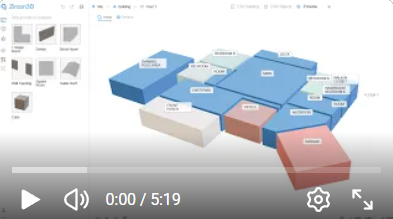
This release adds support for custom GLB models, editable simple cube objects, more smart device control cards, room-level Box View styling, multiple selection, and many bug fixes and performance improvements.
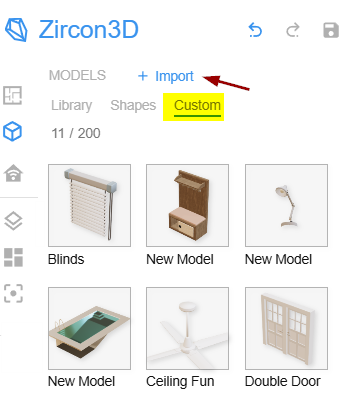
Custom Models: Upload Your Own
.glbModelsYou can now import your own
.glb3D models into Zircon3D.This makes it possible to add custom furniture, equipment, machines, facility assets, or any other 3D model that better represents your real space.
This is especially useful when the built-in model library is not enough for your specific project.
Simple Cube Object
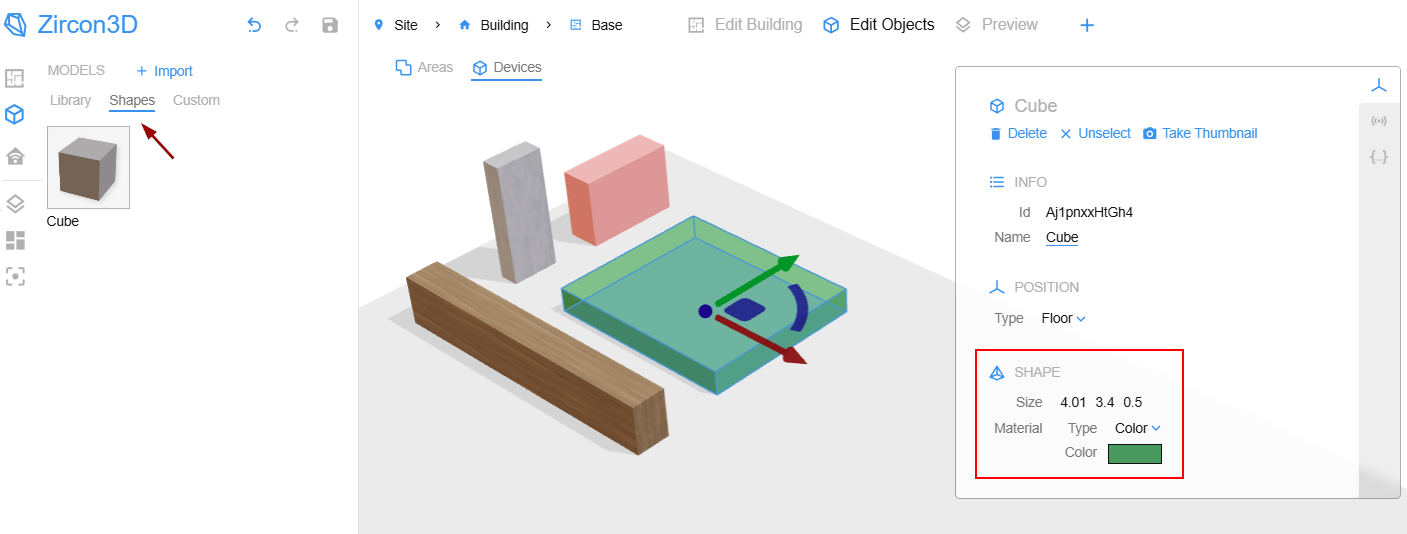
We added a new Simple Cube Object.
This object is very flexible: you can edit its:
- Width
- Depth
- Height
- Color or material
Even though it starts as a simple cube/block, it can be resized into many useful forms, such as a table, platform, partition, box, equipment block, parking area, raised base, or simple placeholder object.
It is a small feature, but very practical for quickly building custom scenes.
More Smart Device Control Cards
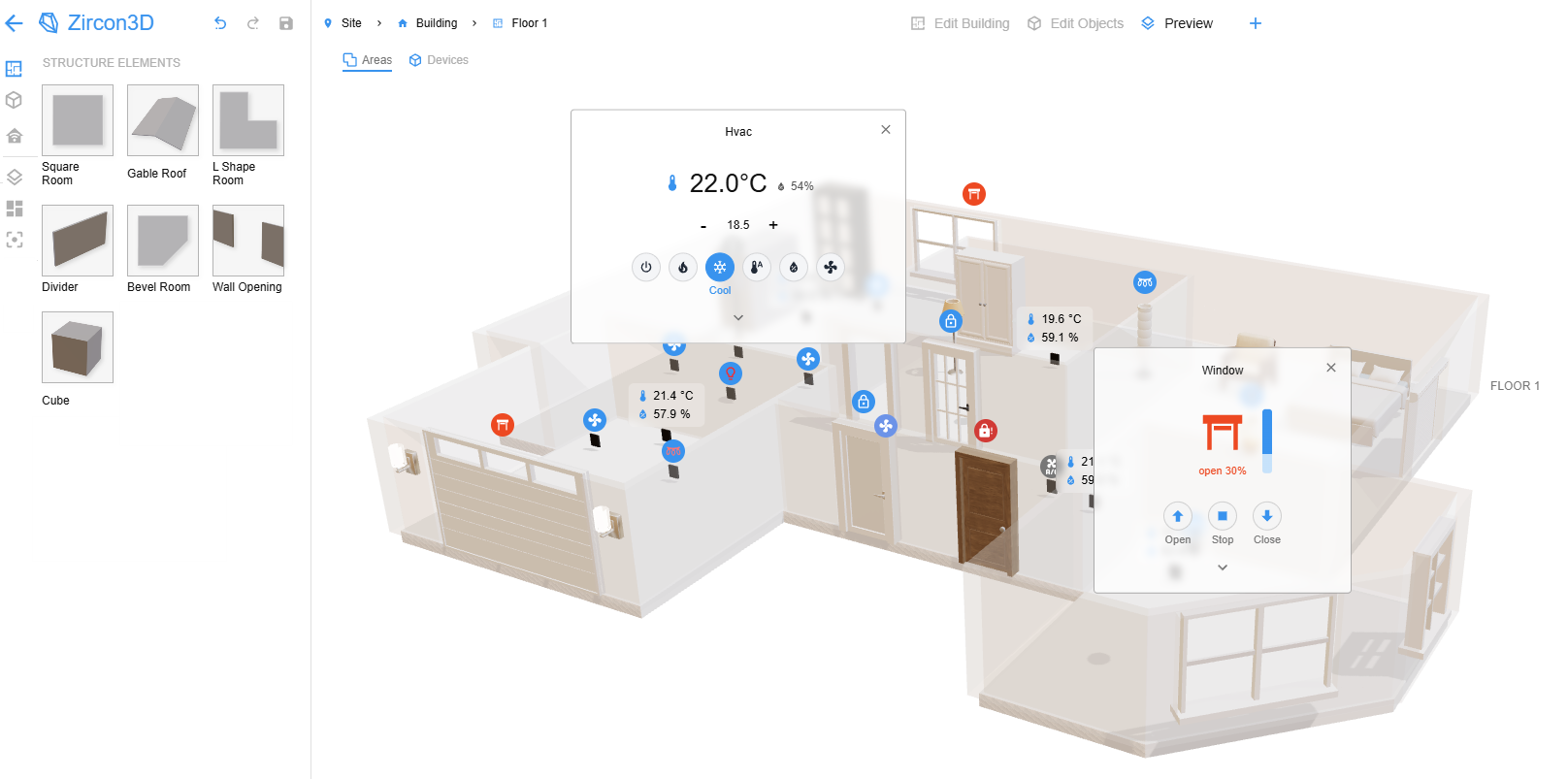
Zircon3D v2.2 adds more interactive control cards for Home Assistant entities.
The enhanced control cards include:
Light Card - Supports brightness percentage and color control.
Cover Card - For garage doors, windows, shades, blinds, curtains, and other cover entities.
Climate Card - For air conditioners, heat pumps, thermostats, and similar climate devices.
Lock Card - For door locks and other lock entities.
Fan Card - For fan entities, with related controls.
These cards make Zircon3D not only a 3D visualization interface, but also a more convenient 3D control layer for your smart home.
Status Bubbles on the Floorplan
Control cards also show clear colored status bubbles directly on the floorplan. This makes important states much easier to notice at a glance, such as when a window is open, a garage door is open, or a door is unlocked.This provides a more intuitive way to understand the real status of your home or building directly from the 3D view.
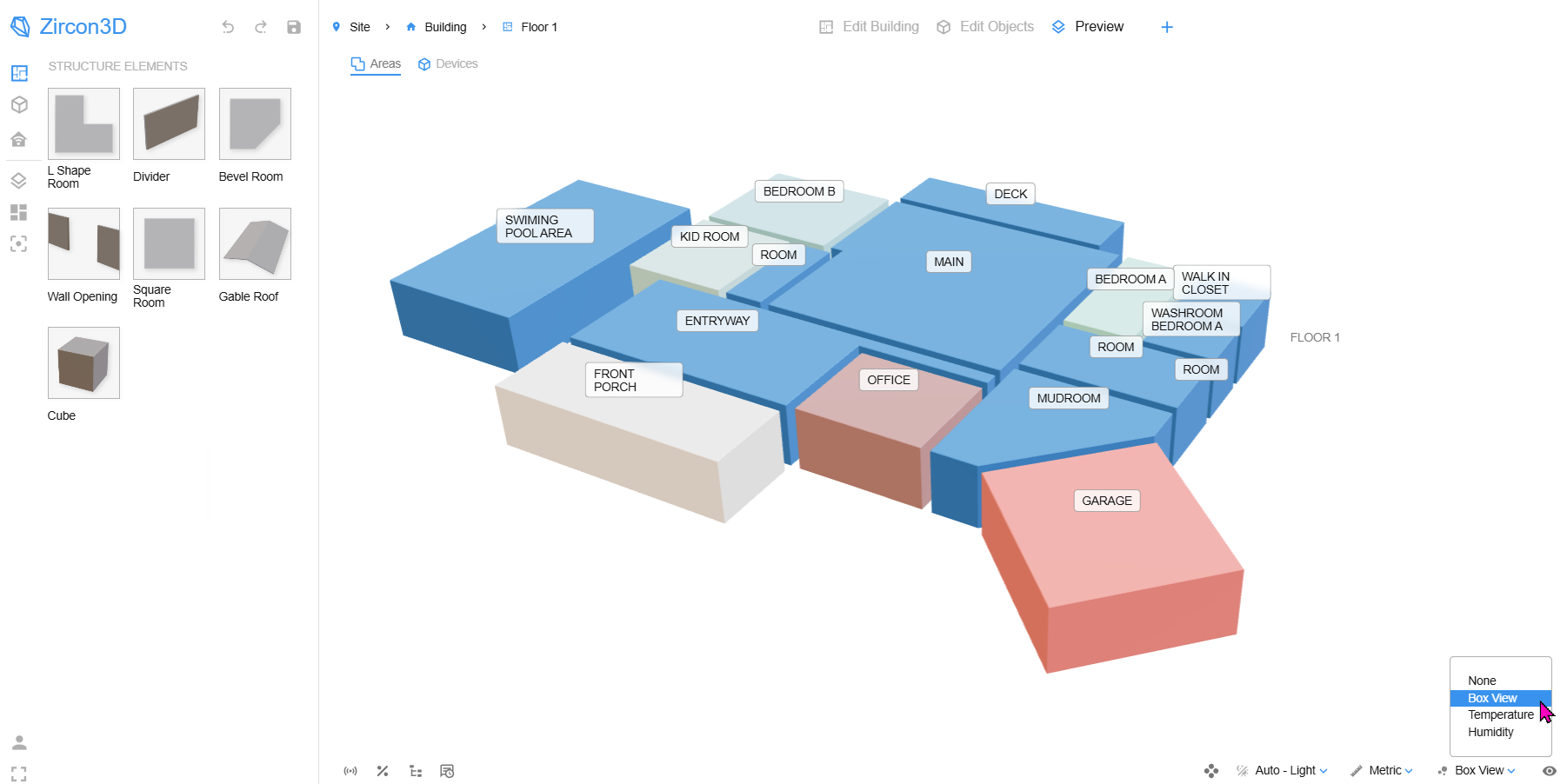
Room Box View
We added Box View support at the room level.
You can now show rooms as colored box-style blocks and assign colors to different rooms. This provides a cleaner and more abstract way to understand room layout, zones, or functional areas.
In the next version, we plan to extend this feature so the room Box View can be mapped to monitoring sensor data, allowing rooms to be colored dynamically based on real-time values. For example room occupancy or other sensor data.
Multiple Selection
You can now select multiple objects or rooms by holding the Ctrl key.
This allows you to move or delete multiple items at once, making editing much faster and more convenient when working with larger floorplans.
Bug Fixes and Performance Improvements
This release also includes many bug fixes and performance improvements across the Designer and Viewer.
We continue to improve stability, usability, and the overall editing experience as Zircon3D grows into a more powerful 3D visualization platform.
Try Zircon3D v2.2
Thank you to everyone who continues to test Zircon3D, share feedback, and help us improve the product.
Get started with Zircon3D: https://zircon3d.com
Documentation: https://zircon3d.com/docs
Community forum: https://forum.zircon3d.com
YouTube tutorials: https://www.youtube.com/@Zircon3D
Facebook group: https://www.facebook.com/groups/zircon3d -
Patch Update: Zircon3D v2.2.1 — 2026-05-15
We released a small patch update for Zircon3D v2.2.
New Feature
- Added Project Tools: support exporting and importing Zircon3D space-plan / floorplan data.
Bug Fixes
- Fixed an issue where switching edit mode did not reset Box View correctly.
- Fixed behavior issues related to View Settings, Floating Cards, and Sensor Card Display.
The new import/export feature can be useful when you need to move, back up, or share a floorplan between Zircon3D projects.
How to import/export a floorplan in Zircon3D
This feature is only for exporting floorplan data from Zircon3D and importing it back into Zircon3D. It is not for importing files from other design systems.
- Open Zircon3D in Home Assistant.
- Select your project, then click Edit to open the Designer.
- In the bottom-left bar, open Project Tools.
- Choose Import Project or Export Project.
- When importing, select the project file exported from Zircon3D.
- After importing, click Save to keep the imported floorplan, or press Undo to discard the changes.

Hello! It looks like you're interested in this conversation, but you don't have an account yet.
Getting fed up of having to scroll through the same posts each visit? When you register for an account, you'll always come back to exactly where you were before, and choose to be notified of new replies (either via email, or push notification). You'll also be able to save bookmarks and upvote posts to show your appreciation to other community members.
With your input, this post could be even better 💗
Register Login