What happens to my projects if my subscription ends?
-
What happens to my projects if my subscription ends?
Short answer:
 Your projects will NOT disappear.
Your data stays safe.
 Your account will be downgraded to the Free plan, with some limits.
After your subscription ends, you’ll be on the Free plan, which includes:
- 1 editable project
- Up to 1000 m² building area
- Up to 25 monitored devices
- Heatmap view: Temperature (Free plan feature)
*This quota is based on the Free plan limits as of January 2026.
What if I have more than the Free plan allows?
You can still view everything, but editing is limited:
Multiple projects
-
You can view all projects
-
You can edit only one project at a time
-
You decide which project to keep editable
-
If it’s not the one you want:
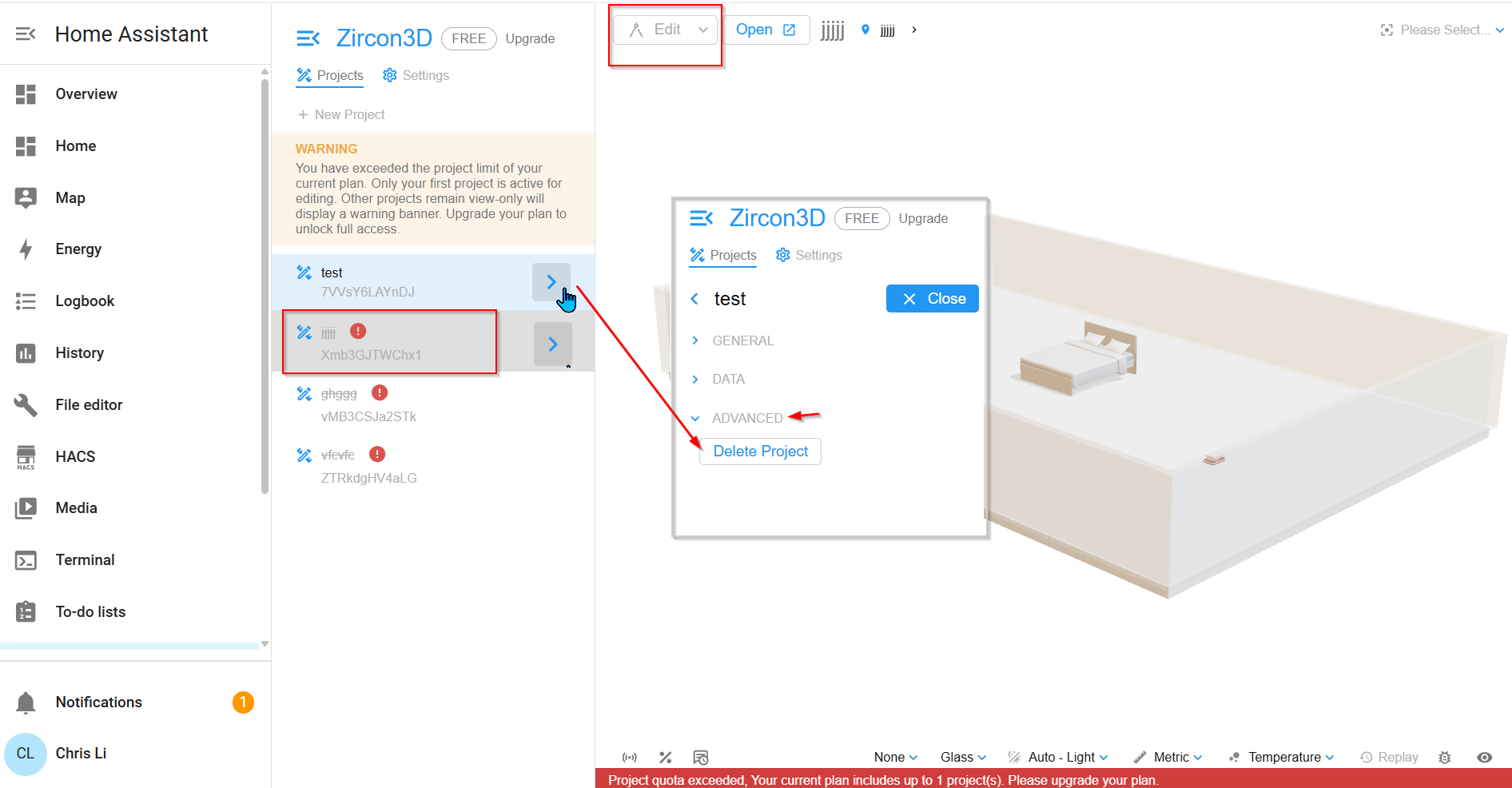
- Go to Project → More > → Project Settings
- Delete it
- The next project becomes editable
 This lets you choose which project fits the Free plan
Area / devices / features over quota
-
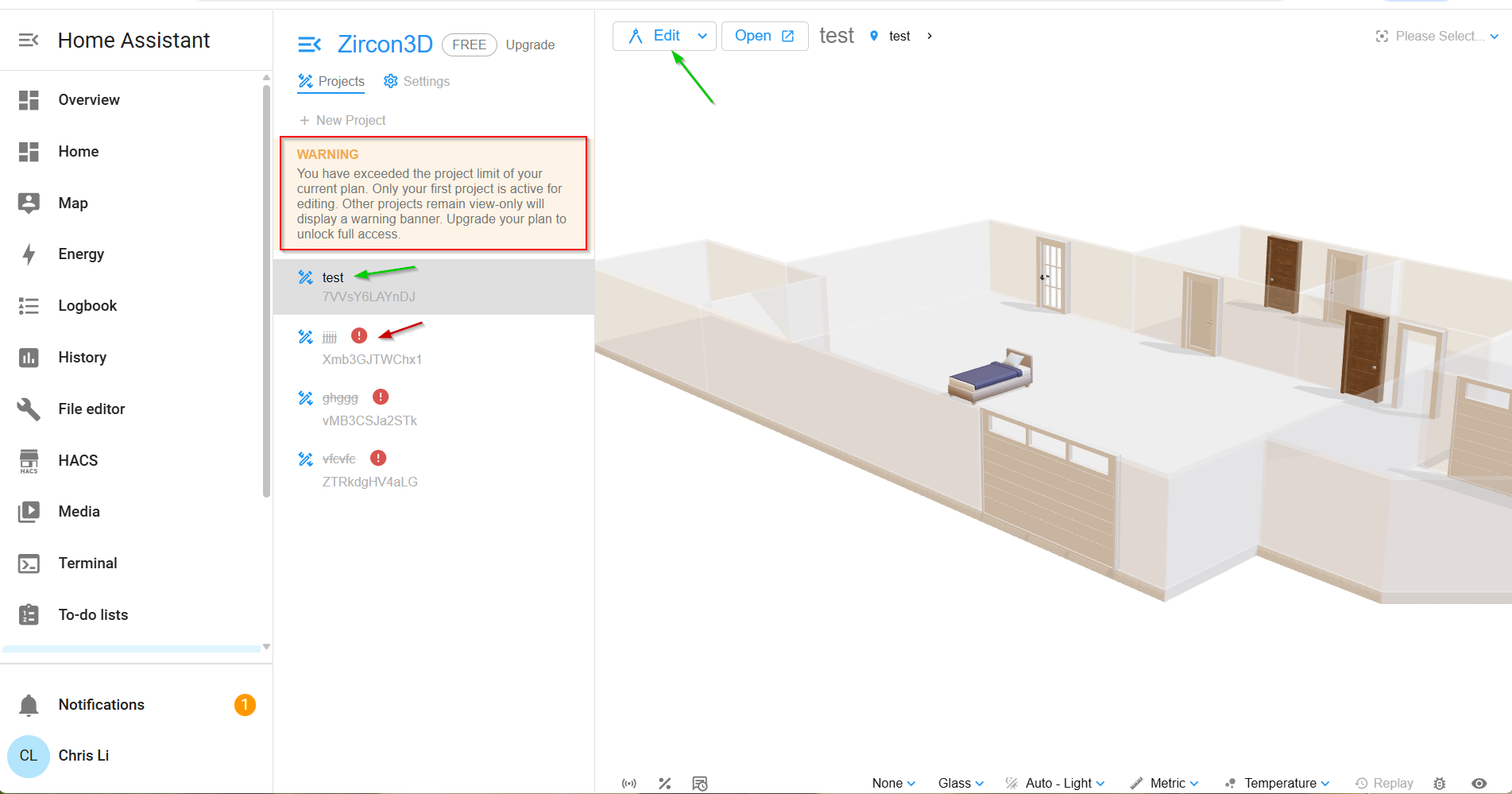
Projects that exceed Free limits will show warnings (like in the screenshots)
-
You can:
- View everything
- Remove devices, reduce area, or simplify the project
-
Once it fits the Free plan limits, it works normally again
Important takeaway
 ️ No lock-out
- ️ No data loss
- ️ No forced deletion
- ️ You’re always in control of what to keep
If you later re-subscribe, all advanced features and higher limits are instantly available again.
Example after downgrade
In this screenshot, the project “test” is the active project and can be viewed, edited, and deleted. All other projects are automatically switched to view-only mode. They remain fully visible, but editing is disabled until you delete projects or adjust your setup to meet the Free plan quota.
View-only projects can be opened and viewed, but not edited; they can still be deleted from Project Settings → Advanced.

Hello! It looks like you're interested in this conversation, but you don't have an account yet.
Getting fed up of having to scroll through the same posts each visit? When you register for an account, you'll always come back to exactly where you were before, and choose to be notified of new replies (either via email, or push notification). You'll also be able to save bookmarks and upvote posts to show your appreciation to other community members.
With your input, this post could be even better 💗
Register Login