Unable to load floor plans after leaving editor.
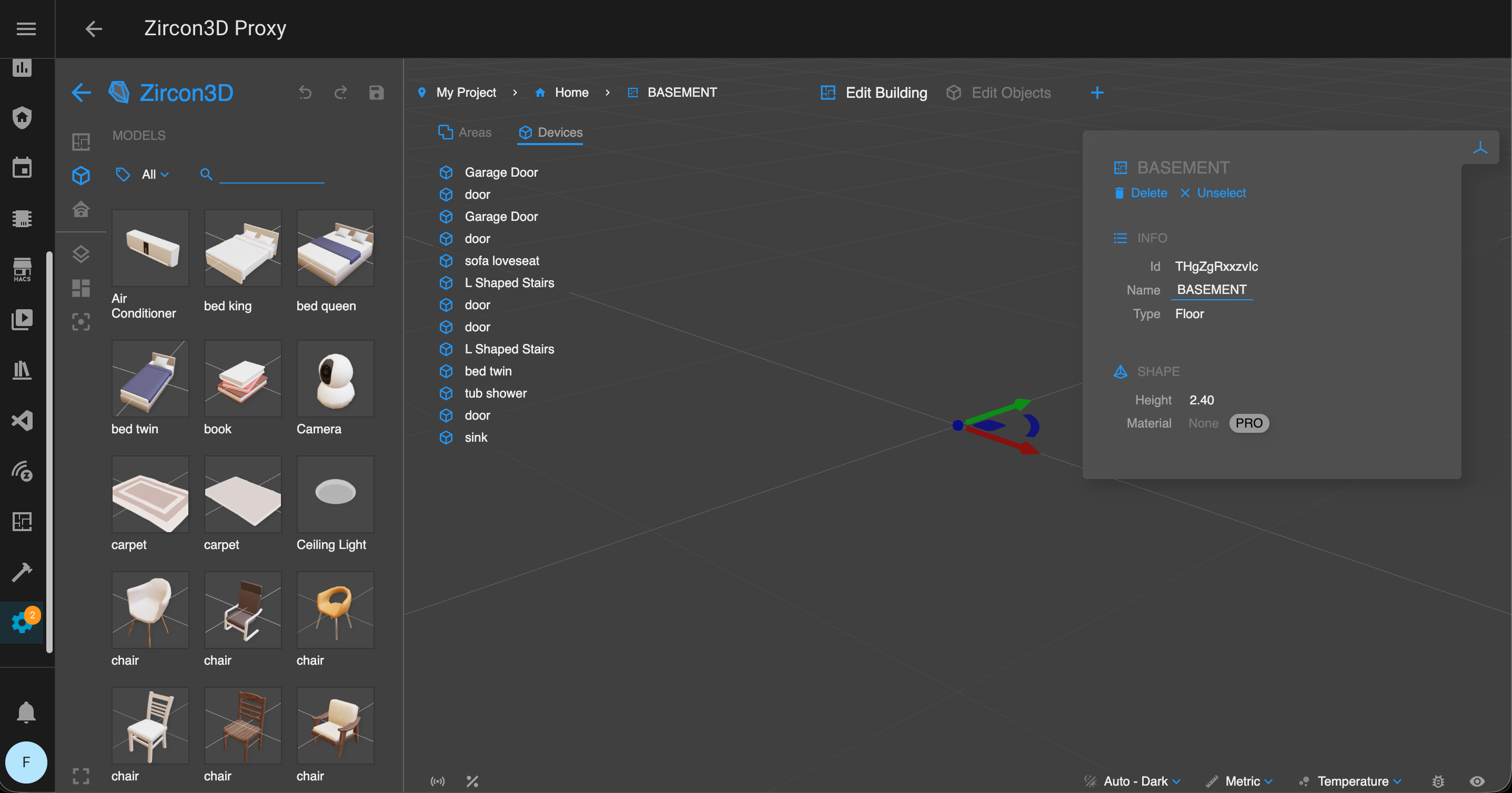
-
Hi, thanks for reporting this.
To help us narrow this down, could you please check the following?-
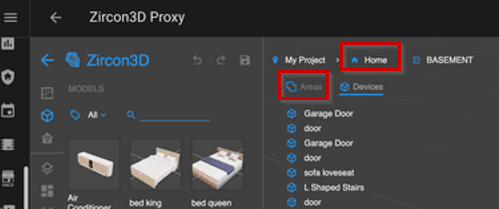
Home node check
In the top navigator, please click on the Home node.
Do you see the list of floors there, or does it also fail to load? -
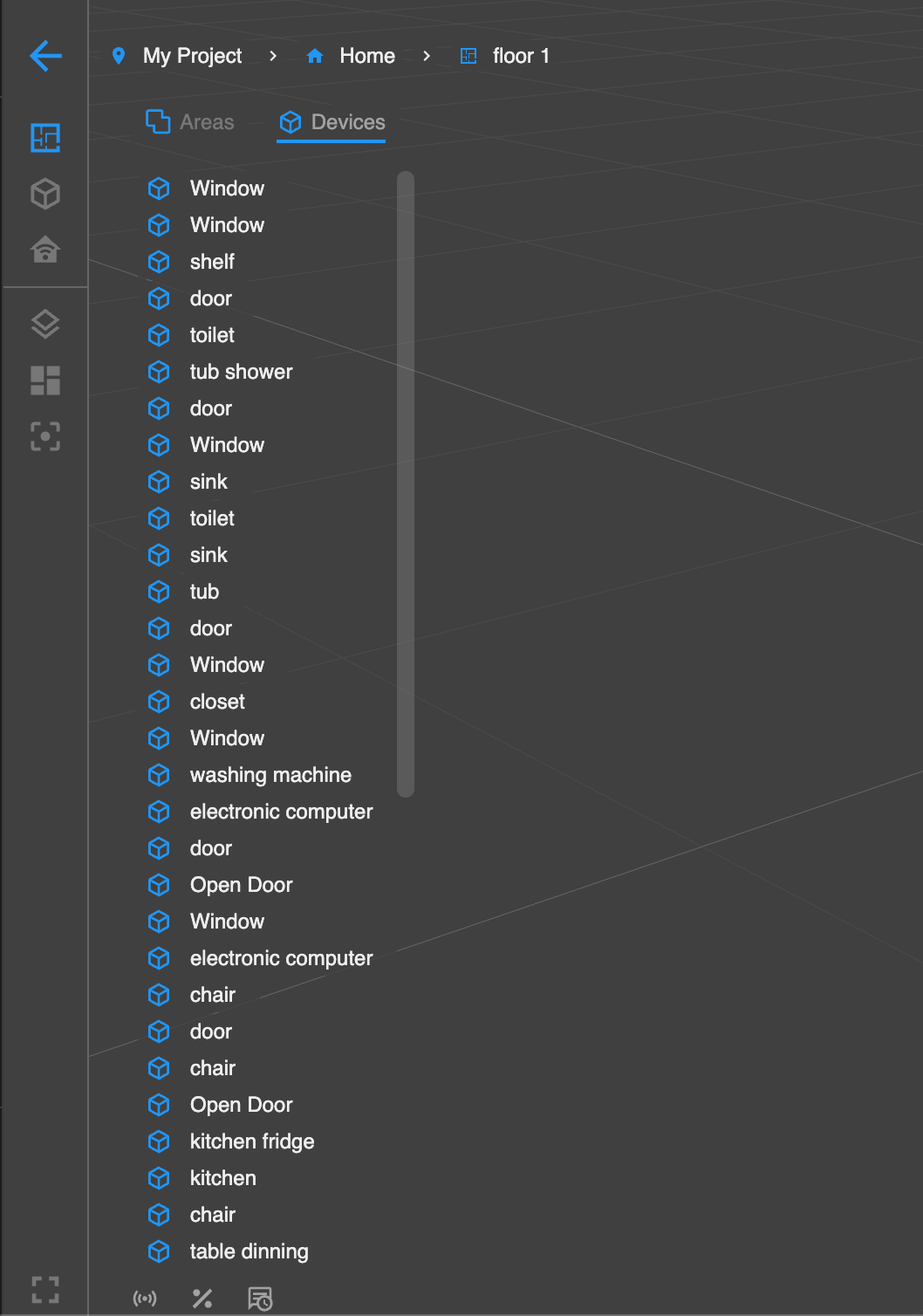
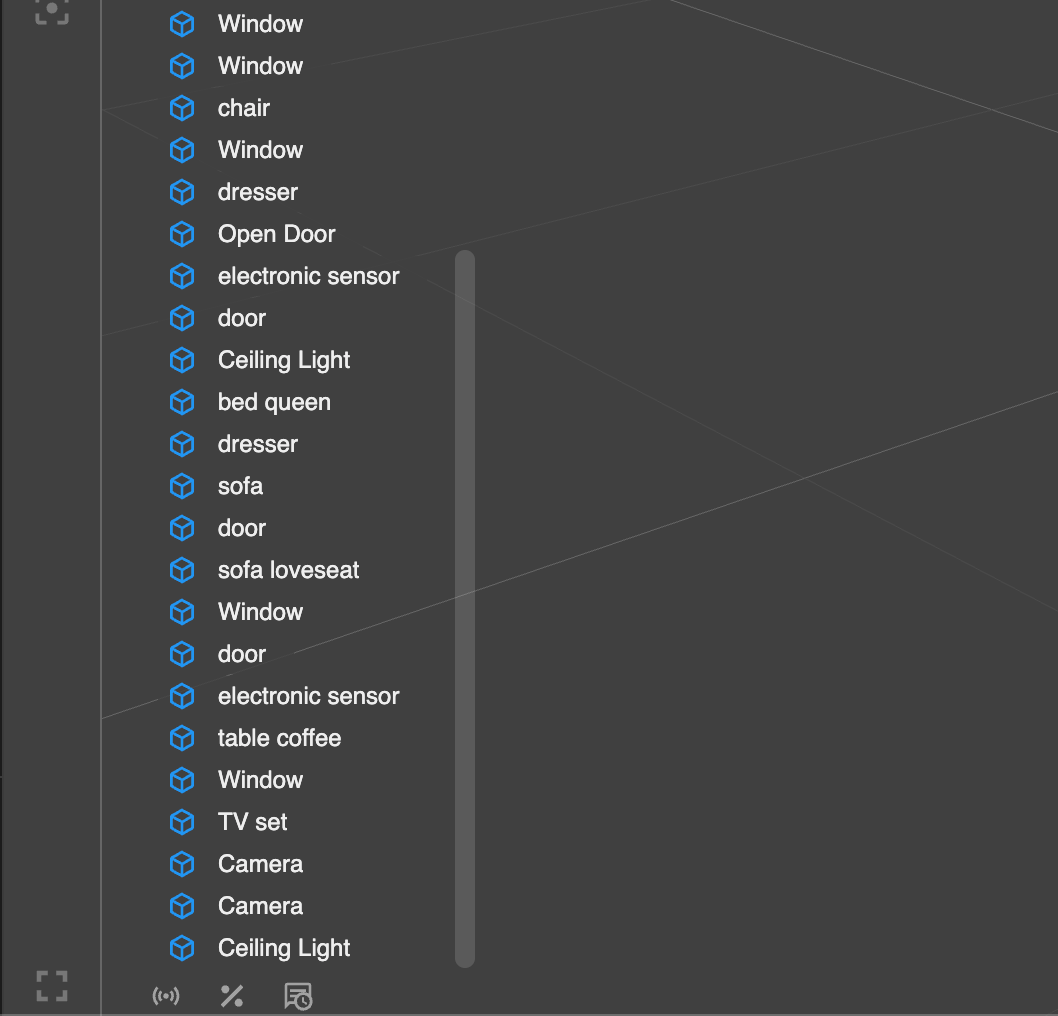
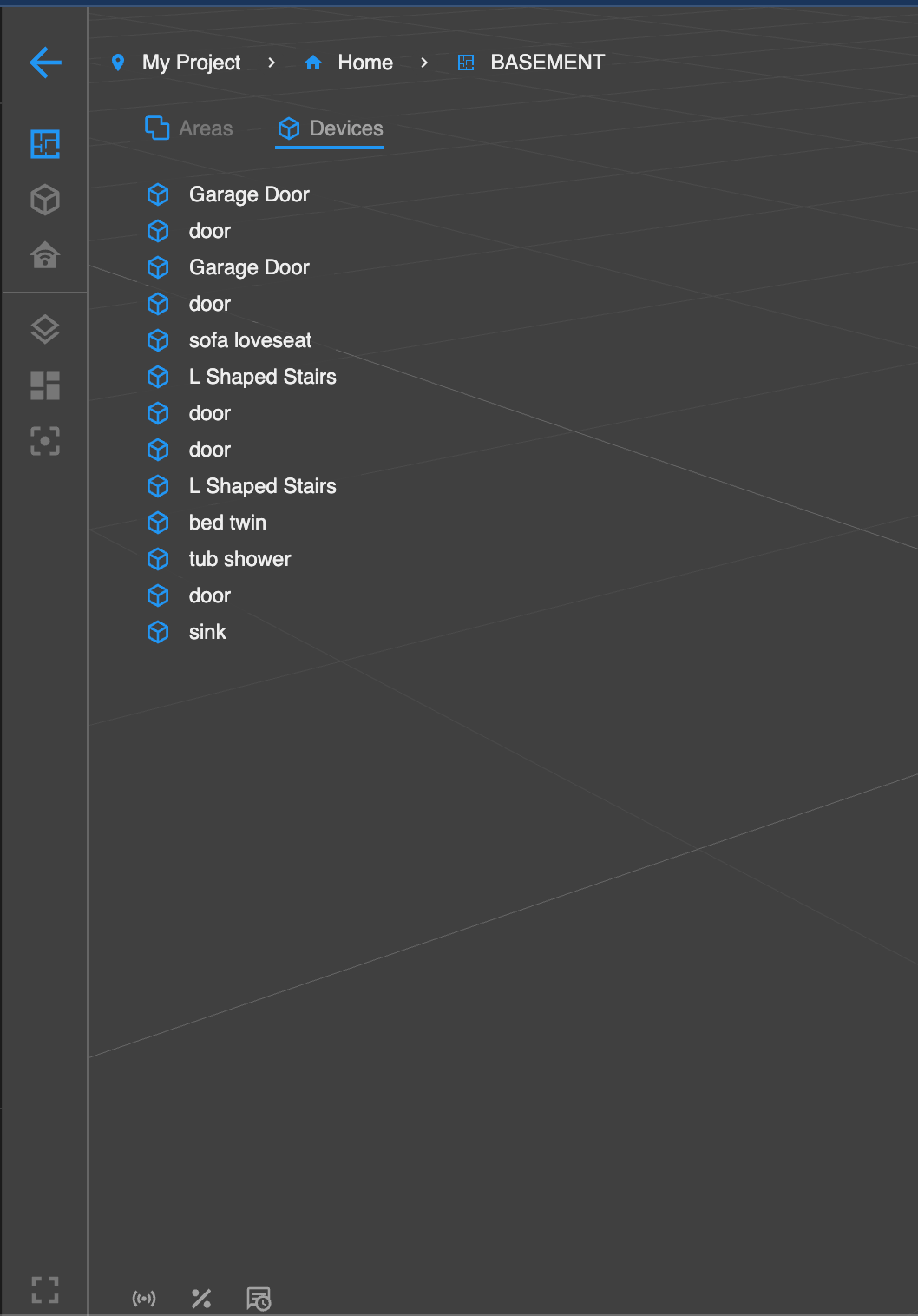
Areas list under the floor
When you select the Basement floor, please click the Areas sub-tab under the navigator.
This should show a list of all areas on that floor, does it appear correctly? -
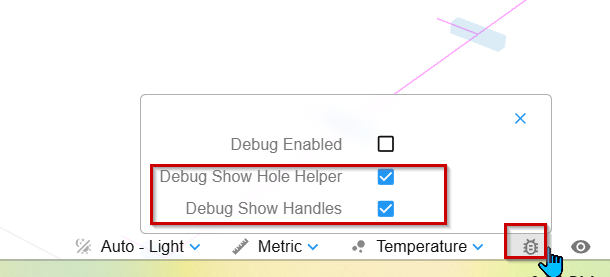
Enable debug helpers
Please open the Debug tool (see the screenshot I attached), then enable:
Debug Show Hole Helper
Debug Show HandlesAfter enabling these, see what happens in the scene.
If possible, please send us screenshots of what you see — that would be very helpful.Also, is there anything special or unusual about this floor?
For example:very large or complex geometry
many holes / cut-outsThis doesn’t look like a hardware limitation at first glance, but the answers above should help us confirm where the issue is coming from.
-
-
@keiflab Hi, thanks for sending the screenshots, that’s very helpful.
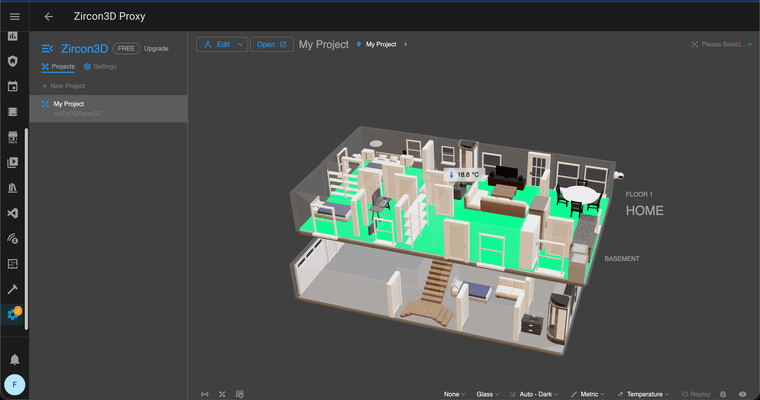
From what we can see, the floorplan data appears to be present, but the floor itself isn’t being rendered or loaded. While it could be hardware-related, but it’s more likely an edge case involving the floor’s internal data or geometry state, which we’ll need to investigate more closely.
To help us dig further, could you please check the browser logs?
- Press F12 to open Developer Tools
- Go to the Console tab
- Reload the page
- If you see any errors, please copy the details and send them to us
If you don’t mind, could you also share which browser you’re using and what device/computer you’re on? That can help us check for any browser- or hardware-specific issues.
Sorry for the inconvenience, we understand how frustrating it is when a floor doesn’t load. Thanks for your patience while we look into this.
-
@Tami-Liu
I was not getting any errors when looking at the console through dev tools. Interestingly, if I drag a room to anywhere else in the tree my floor plan reappears but disappears after refreshing. i am using brave on m1 macbook pro. also accessing zircon3d as addon in Homeassistant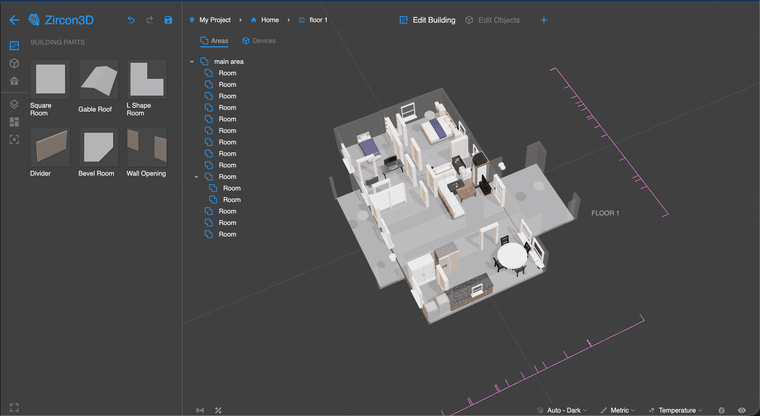
-
i tried the dev tools again and got this
makeAppOptions: Object
bundle.d109887ca0bedf373bac.js:1 >>>>>> mpi-socket: connecting to: /zircon_mpi /api/hassio_ingress/9Apq6unsEIjSpagL_abk_ie4_V1cPUtA_IiAufmAhC4/mpi/socket
bundle.d109887ca0bedf373bac.js:1 >>>>>> ai-core: connecting to: /ai /socket.io/
bundle.d109887ca0bedf373bac.js:1 Uncaught (in promise) RangeError: Maximum call stack size exceeded
at e (bundle.d109887ca0bedf373bac.js:1:177015)
at e (bundle.d109887ca0bedf373bac.js:1:177045)
at e (bundle.d109887ca0bedf373bac.js:1:177045)
at e (bundle.d109887ca0bedf373bac.js:1:177045)
at e (bundle.d109887ca0bedf373bac.js:1:177045)
at e (bundle.d109887ca0bedf373bac.js:1:177045)
at e (bundle.d109887ca0bedf373bac.js:1:177045)
at e (bundle.d109887ca0bedf373bac.js:1:177045)
at e (bundle.d109887ca0bedf373bac.js:1:177045)
at e (bundle.d109887ca0bedf373bac.js:1:177045)
bundle.d109887ca0bedf373bac.js:1 >>>>>> rerender floor-visual: qwdigZTgsdOz
bundle.d109887ca0bedf373bac.js:1 >>>>>> heatmapCore: updating sample points
bundle.d109887ca0bedf373bac.js:1 >>>>>> rerender area-visual: 01yg63Ju1uJc
bundle.d109887ca0bedf373bac.js:1 >>>>>> rerender floor-visual: THgZgRxxzvIc
bundle.d109887ca0bedf373bac.js:1 >>>>>> heatmapCore: updating sample points
bundle.d109887ca0bedf373bac.js:1 >>>>>> rerender area-visual: Kw4vxkmwAGTv
bundle.d109887ca0bedf373bac.js:1 >>>>>> mpi-socket: connected id= 86wxQQcAllICuXn4AAC0
bundle.d109887ca0bedf373bac.js:1 >>>>>> mpi-socket: sending message: get_systems Object
bundle.d109887ca0bedf373bac.js:1 >>>>>> mpi-socket: sending message: get_snapshot Object
bundle.d109887ca0bedf373bac.js:1 >>>>>> rerender floor-visual: qwdigZTgsdOz
bundle.d109887ca0bedf373bac.js:1 >>>>>> heatmapCore: updating sample points
bundle.d109887ca0bedf373bac.js:1 >>>>>> rerender area-visual: 01yg63Ju1uJc
bundle.d109887ca0bedf373bac.js:1 >>>>>> rerender floor-visual: THgZgRxxzvIc
bundle.d109887ca0bedf373bac.js:1 >>>>>> heatmapCore: updating sample points
bundle.d109887ca0bedf373bac.js:1 >>>>>> rerender area-visual: Kw4vxkmwAGTv
3bundle.d109887ca0bedf373bac.js:1 >>>>>> rerender area-visual: 01yg63Ju1uJc
bundle.d109887ca0bedf373bac.js:1 >>>>>> end session: null
bundle.d109887ca0bedf373bac.js:1 >>>>>> end session: null
bundle.d109887ca0bedf373bac.js:1 >>>>>> end session: null
bundle.d109887ca0bedf373bac.js:1 >>>>>> end session: null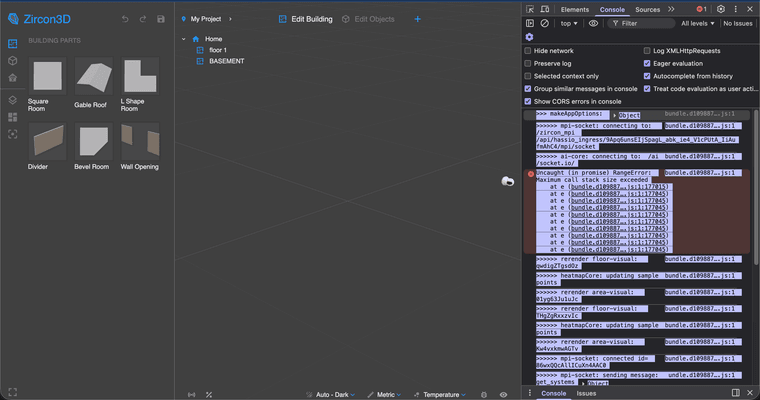
-
@Tami-Liu
I was not getting any errors when looking at the console through dev tools. Interestingly, if I drag a room to anywhere else in the tree my floor plan reappears but disappears after refreshing. i am using brave on m1 macbook pro. also accessing zircon3d as addon in Homeassistant@keiflab Hi, thanks a lot for sending the logs and screenshots, they really helped.
From the logs, this looks like a logic issue (a dead loop during loading) rather than anything hardware-related. We’re confident this isn’t caused by your computer or browser.
We’ll work on a quick fix for this and will let you know as soon as it’s ready.
If you’re okay with it, could you also share your email address? That way we can notify you directly once the fix is available.
Thanks again for your patience and for helping us track this down, we really appreciate it.
-
i tried the dev tools again and got this
makeAppOptions: Object
bundle.d109887ca0bedf373bac.js:1 >>>>>> mpi-socket: connecting to: /zircon_mpi /api/hassio_ingress/9Apq6unsEIjSpagL_abk_ie4_V1cPUtA_IiAufmAhC4/mpi/socket
bundle.d109887ca0bedf373bac.js:1 >>>>>> ai-core: connecting to: /ai /socket.io/
bundle.d109887ca0bedf373bac.js:1 Uncaught (in promise) RangeError: Maximum call stack size exceeded
at e (bundle.d109887ca0bedf373bac.js:1:177015)
at e (bundle.d109887ca0bedf373bac.js:1:177045)
at e (bundle.d109887ca0bedf373bac.js:1:177045)
at e (bundle.d109887ca0bedf373bac.js:1:177045)
at e (bundle.d109887ca0bedf373bac.js:1:177045)
at e (bundle.d109887ca0bedf373bac.js:1:177045)
at e (bundle.d109887ca0bedf373bac.js:1:177045)
at e (bundle.d109887ca0bedf373bac.js:1:177045)
at e (bundle.d109887ca0bedf373bac.js:1:177045)
at e (bundle.d109887ca0bedf373bac.js:1:177045)
bundle.d109887ca0bedf373bac.js:1 >>>>>> rerender floor-visual: qwdigZTgsdOz
bundle.d109887ca0bedf373bac.js:1 >>>>>> heatmapCore: updating sample points
bundle.d109887ca0bedf373bac.js:1 >>>>>> rerender area-visual: 01yg63Ju1uJc
bundle.d109887ca0bedf373bac.js:1 >>>>>> rerender floor-visual: THgZgRxxzvIc
bundle.d109887ca0bedf373bac.js:1 >>>>>> heatmapCore: updating sample points
bundle.d109887ca0bedf373bac.js:1 >>>>>> rerender area-visual: Kw4vxkmwAGTv
bundle.d109887ca0bedf373bac.js:1 >>>>>> mpi-socket: connected id= 86wxQQcAllICuXn4AAC0
bundle.d109887ca0bedf373bac.js:1 >>>>>> mpi-socket: sending message: get_systems Object
bundle.d109887ca0bedf373bac.js:1 >>>>>> mpi-socket: sending message: get_snapshot Object
bundle.d109887ca0bedf373bac.js:1 >>>>>> rerender floor-visual: qwdigZTgsdOz
bundle.d109887ca0bedf373bac.js:1 >>>>>> heatmapCore: updating sample points
bundle.d109887ca0bedf373bac.js:1 >>>>>> rerender area-visual: 01yg63Ju1uJc
bundle.d109887ca0bedf373bac.js:1 >>>>>> rerender floor-visual: THgZgRxxzvIc
bundle.d109887ca0bedf373bac.js:1 >>>>>> heatmapCore: updating sample points
bundle.d109887ca0bedf373bac.js:1 >>>>>> rerender area-visual: Kw4vxkmwAGTv
3bundle.d109887ca0bedf373bac.js:1 >>>>>> rerender area-visual: 01yg63Ju1uJc
bundle.d109887ca0bedf373bac.js:1 >>>>>> end session: null
bundle.d109887ca0bedf373bac.js:1 >>>>>> end session: null
bundle.d109887ca0bedf373bac.js:1 >>>>>> end session: null
bundle.d109887ca0bedf373bac.js:1 >>>>>> end session: null@keiflab Hi, just a quick update, we’ve fixed this issue in the latest release.
Please upgrade the Zircon3D Home Assistant add-on to v2.0.8 (2026-01-25), or wait for the auto-upgrade if you have it enabled.
v2.0.8 – Bug Fix
Fixed a bug that could cause an infinite loop during loadingThanks again for your patience and for helping us identify this.